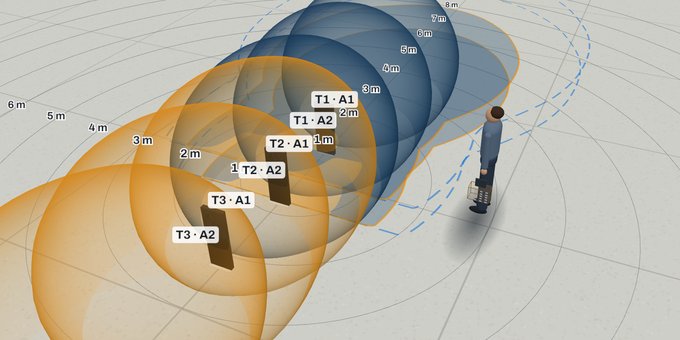
Home / Tools / Simulators

RFID simulators

Start from the problem you need to solve: we point to the Identix equipment and open the simulator set up for your case, with an estimate of the RAIN RFID tags it reads, before you buy or install anything.

What problem do you want to solve with RFID?

Tell us what you need to control. We point to the Identix equipment that solves it, say why, and open the simulator already set up for your case.

What do you need to solve?

Check what leaves at shipping

We recommend

DockView · Dock portal

  • A portal at the dock door: the pallet passes without stopping or being broken down.
  • Four antennas read the boxes on every side of the pallet.
  • Shows how many passes read 100 % of the boxes.
Simulate: Shipping with a pallet jack →

Before you decide, see what the equipment reads by mistake around it: Neighbour dock and staging
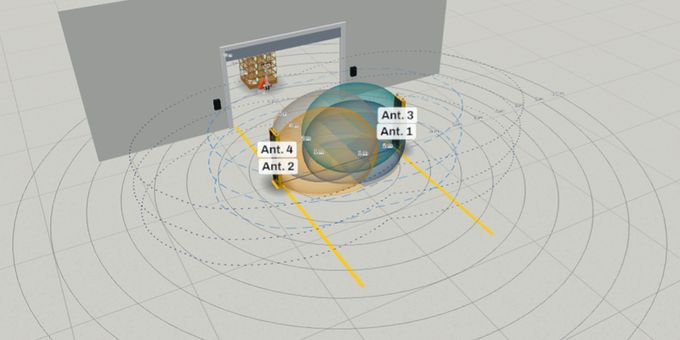
Check the whole pallet at a shielded station

How does the pallet go through the check?

In and out the same side, on a pallet jack

We recommend

PalletView · Pallet check

  • A shielded structure with a curtain: the pallet goes in, stays a few seconds and comes out.
  • Steel walls and a metallized curtain cut off reading what is outside.
  • Shows how many checks read 100 % of the boxes.
Simulate: Check a pallet before shipping →

Before you decide, see what the equipment reads by mistake around it: Pallets beside and waiting

Through from one side to the other, pushed by hand

We recommend

TunnelView · Pallet tunnel

  • A shielded tunnel with a curtain at the entry and at the exit: the pallet or roll container goes through without coming back.
  • 2 m modules: a 2, 4 or 6 m tunnel.
  • Shows how many passes read 100 % of the boxes.
Simulate: Pallet through a 4 m tunnel →

Before you decide, see what the equipment reads by mistake around it: Pallets waiting at both ends

Know what was loaded on the truck

We recommend

DockView · Dock portal

  • A portal at the dock with the truck backed up to it.
  • Also shows the goods already in the trailer read by mistake, and how to avoid it.
Simulate: Loading the truck →

Also solves

No other Identix equipment for this case.

Before you decide, see what the equipment reads by mistake around it: Neighbour dock and staging
Track returnable packaging

Which packaging goes round?

Vented crate (produce, bread)

We recommend

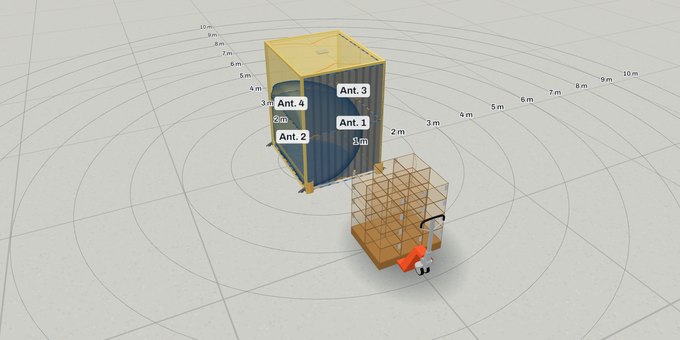
DockView · Dock portal

  • A portal at the dock door: the pallet of crates passes without stopping.
  • The tag sits on the plastic wall of the crate, which comes back on every trip.
  • Shows how many passes read 100 % of the crates.
Simulate: Returnable crates of produce →

Before you decide, see what the equipment reads by mistake around it: Neighbour dock and staging
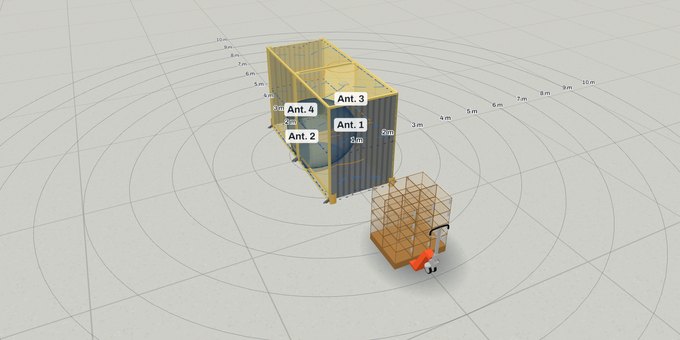
Closed tote (medicines)

We recommend

DockView · Dock portal

  • A portal at the dock door: checks the totes leaving for the pharmacies.
  • The tag sits on the plastic wall of the tote, which comes back empty from the pharmacy.
  • Shows how many passes read 100 % of the totes.
Simulate: Returnable totes of medicines →

Before you decide, see what the equipment reads by mistake around it: Neighbour dock and staging
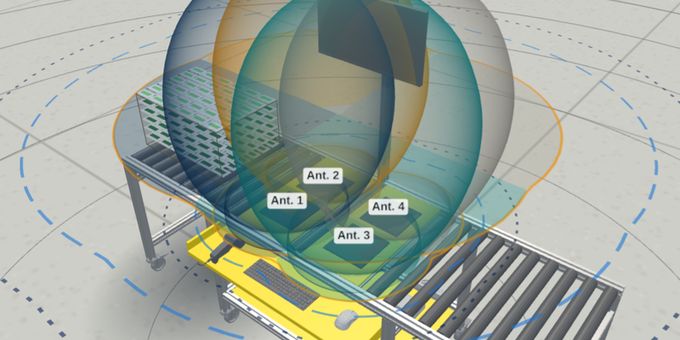
Check boxes on a conveyor

What are the boxes on the belt like?

Small and medium boxes

We recommend

LineView · Conveyor tunnel

  • A closed tunnel over the belt: it reads the items inside the box.
  • The shielding reduces reads of the box behind.
Simulate: Box in the tunnel →

Before you decide, see what the equipment reads by mistake around it: Next box in the queue

Large boxes or a wide belt

We recommend

DockView · Dock portal

  • An open portal over the belt: large loads fit.
  • Reads a row of boxes going past.
Simulate: Boxes on a conveyor →

Before you decide, see what the equipment reads by mistake around it: Neighbour dock and staging
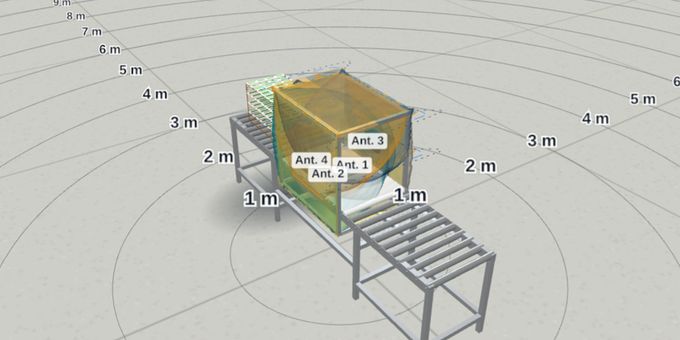
Prevent losses at the store exit

Is there room for antennas at the sides of the entrance?

Yes, antennas fit at the sides

We recommend

GateView OTP and OTP-7070 · People passage

  • Antennas at the sides of the passage, facing the people walking out.
  • Compares the reader as it is, with CONNECTIX brAIn and, in the GateView OTP, with Identix SLP (EZ700 or EZ500), with a bag, a backpack, a cart and two people together.
Simulate: Store exit with a bag →

Before you decide, see what the equipment reads by mistake around it: Rack beside the exit

Yes, with pedestals on the floor

We recommend

ExitView · Anti-theft pedestals at the exit

  • A row of ExitView pedestals: standard, each with its own EM300 (E310 chip) and CONNECTIX brAIn; with Identix SLP, a special EM300 (E510 chip) coordinated by a controller.
  • Compares the standard ExitView with brAIn and Identix SLP, also for people walking by inside the store.

Hard case: below 99.5 % read

Simulate: Bag of clothes through a lane →

Also solves

No other Identix equipment for this case.

Before you decide, see what the equipment reads by mistake around it: Walking by inside the store

No, a wide entrance or no room

We recommend

Identix SLP · Anti-theft from the exit ceiling

  • The GateView OTP on the ceiling with an EZ700 (the default) or EZ500 running Identix SLP: nothing on the floor or at the sides.
  • Two beams give the direction: in or out.
Simulate: GateView OTP with a bag →

Before you decide, see what the equipment reads by mistake around it: Rack beside the entrance

Record the store restock

We recommend

GateView OTP and OTP-7070 · People passage

  • The passage between stockroom and store reads the whole rack going through.
Simulate: Rack pushed through the door →

Also solves

No other Identix equipment for this case.

Before you decide, see what the equipment reads by mistake around it: Rack beside the exit

Read the whole bag at the checkout

Where does the reader go?

On the counter

We recommend

DR-max · Checkout (POS)

  • Reads the bag on the counter in one go.
  • It still charges items around it in part of the sales: no reader or power avoids that alone; the brAIn for checkouts is under evaluation.

Hard case: below 99.5 % read

Simulate: DR-max on the counter →

Before you decide, see what the equipment reads by mistake around it: Shelf close to the checkout

Built in under the top

We recommend

DR-max · Checkout (POS)

  • A flat reader under the counter top: nothing shows on the counter.

Hard case: below 99.5 % read

Simulate: DR-pad →

Before you decide, see what the equipment reads by mistake around it: Shelf close to the checkout

Control vehicle access

Which vehicles pass?

Cars

We recommend

EM300H · Vehicle access

  • The EM300H, with horizontal and vertical internal antennas, reads the tag behind the glass.
  • Tries 10 and 20 km/h, a turned tag and an athermic windshield.
Simulate: Car at the barrier →

Before you decide, see what the equipment reads by mistake around it: Queue and next lane

Trucks

We recommend

EM300H · Vehicle access

  • The reader raised to 3 m for the tag high on the windshield.
Simulate: Truck at the barrier →

Before you decide, see what the equipment reads by mistake around it: Queue and next lane

Check a hard load at the dock

What is the load?

Wire cage (roll container)

Before you decide, see what the equipment reads by mistake around it: Neighbour dock and staging
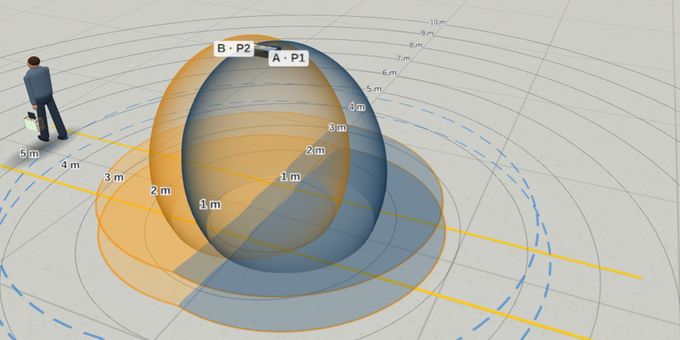
Tyres

We recommend

DockView · Dock portal

  • The steel belts hide the tags facing in: change the process (label turned out when stacking, slow pass).

Hard case: below 99.5 % read

Simulate: Tyres on a pallet →

Before you decide, see what the equipment reads by mistake around it: Metal shelving beside the door

MDF sheets

We recommend

DockView · Dock portal

  • One tag per sheet, on a flag past the edge.
Simulate: Stack of MDF sheets →

Also solves

No other Identix equipment for this case.

Before you decide, see what the equipment reads by mistake around it: Metal shelving beside the door

Track linen

How does the linen cart go through the count?

Through the laundry from one side to the other, pushed by hand

We recommend

TunnelView · Pallet tunnel

  • A tunnel with a curtain at each end: the linen cart goes in one side and out the other, without stopping.
  • Each piece carries an Identix 7015 textile tag, measured dry and wet.
  • Shows how many pieces of the cart are read in each pass.

Hard case: below 99.5 % read

Simulate: Linen cart through the tunnel →

Before you decide, see what the equipment reads by mistake around it: Pallets waiting at both ends

Stops in a booth for the count

We recommend

PalletView · Pallet check

  • A shielded booth with a curtain: the cart goes in, stays 5 s and comes out the same side.
  • The steel and the curtain hold back the reads of the carts waiting outside.
  • Counting stopped, with dry linen, is the case that reads best.

Hard case: below 99.5 % read

Simulate: Linen cart in the booth →

Before you decide, see what the equipment reads by mistake around it: Pallets beside and waiting

Already know which equipment you want to try?

Go straight to each simulator.

3D view of the DockView · Dock portal simulator
Simulator

DockView · Dock portal

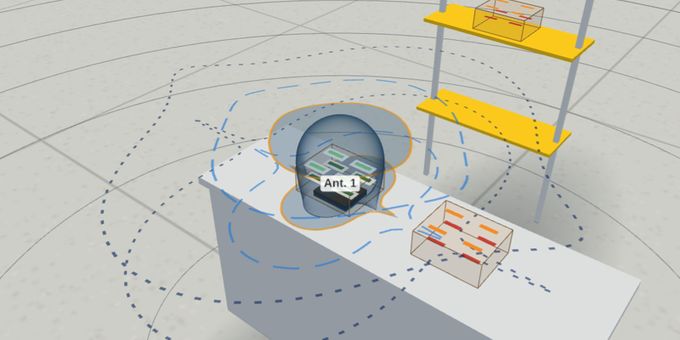
Set up a DockView RFID dock portal with reader, antennas, power, tag and pallet load, and see an estimate of the tags read per pass.

Segments: Logistics and supply chain · Industry and manufacturing · Retail · Healthcare and pharma · Agribusiness and food · Aviation and transport

Open the simulator →
3D view of the PalletView · Pallet check simulator
Simulator

PalletView · Pallet check

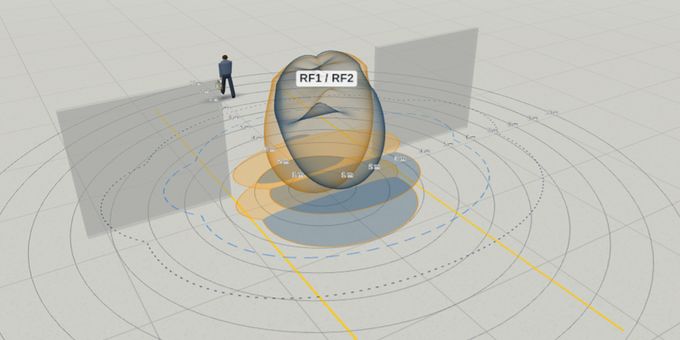
Simulate a pallet check in the shielded PalletView: the share of checks that read every RAIN RFID tag, the effect of the metallized curtain and the stray reads of the pallets around it.

Segments: Logistics and supply chain · Industry and manufacturing · Retail · Healthcare and pharma · Hospitality and laundries

Open the simulator →
3D view of the TunnelView · Pallet tunnel simulator
Simulator

TunnelView · Pallet tunnel

Simulate the shielded TunnelView with 2 m modules: the share of passes that read every RAIN RFID tag on a pallet or roll container, the effect of the two curtains and the stray reads at both ends.

Segments: Logistics and supply chain · Industry and manufacturing · Retail · Healthcare and pharma · Hospitality and laundries

Open the simulator →
3D view of the BoxView · Roller table simulator
Simulator

BoxView · Roller table

Put one box with item-level RFID tags on the BoxView roller table and see an estimate of the item tags read per check.

Segments: Logistics and supply chain · Industry and manufacturing · Retail · Healthcare and pharma · Agribusiness and food

Open the simulator →
3D view of the LineView · Conveyor tunnel simulator
Simulator

LineView · Conveyor tunnel

Run one box with item-level RFID tags through the LineView conveyor tunnel and see an estimate of the item tags read per pass.

Segments: Logistics and supply chain · Industry and manufacturing · Retail · Healthcare and pharma · Agribusiness and food · Aviation and transport

Open the simulator →
3D view of the GateView OTP and OTP-7070 · People passage simulator
Simulator

GateView OTP and OTP-7070 · People passage

Mount the GateView OTP or OTP-7070 overhead or on the side of a passage, walk a person through with item-level RFID tags and compare the reads with CONNECTIX brAIn and, in the GateView OTP, Identix SLP.

Segments: Retail · Healthcare and pharma

Open the simulator →
3D view of the DR-max · Checkout (POS) simulator
Simulator

DR-max · Checkout (POS)

Simulate a DR desk reader at a checkout: the share of sales that read every tagged item, the stray reads of the items around it and the power that reads only the wanted ones.

Segments: Retail · Healthcare and pharma

Open the simulator →
3D view of the EM300H · Vehicle access simulator
Simulator

EM300H · Vehicle access

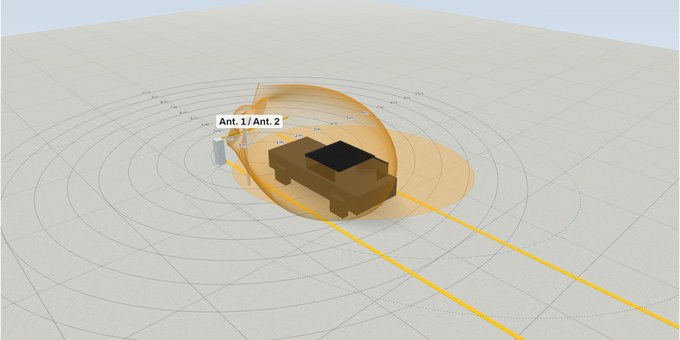
Simulate vehicle access with the outdoor EM300H reader: the tag behind the windshield of a car or a truck, the glass losses, the tag turned 90 degrees and the stray reads of the vehicles around.

Segments: Logistics and supply chain · Industry and manufacturing · Aviation and transport

Open the simulator →
3D view of the SpotView Gateway · Ceiling inventory simulator
Simulator

SpotView Gateway · Ceiling inventory

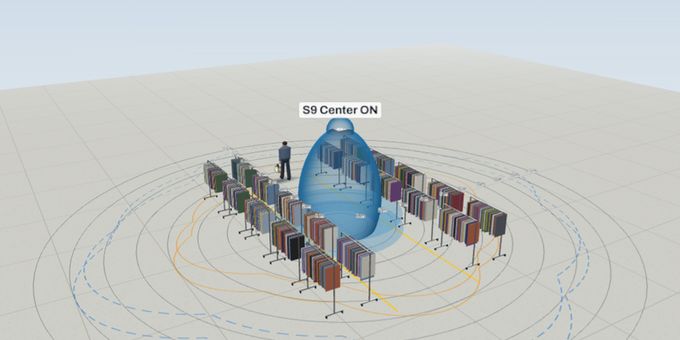
Mount SpotView Gateways overhead and see how many item-level RFID tags on the store racks each inventory finds, and how a person walking under a unit is read.

Segments: Retail · Healthcare and pharma

Open the simulator →
3D view of the Identix SLP · Anti-theft from the exit ceiling simulator
Simulator

Identix SLP · Anti-theft from the exit ceiling

Simulate Identix SLP on the ceiling of a store exit for anti-theft, with the SLP Overhead Reader or the GateView OTP: detection and false alarm without SLP, with brAIn and with SLP.

Segments: Retail · Healthcare and pharma

Open the simulator →
3D view of the ExitView · Anti-theft pedestals at the exit simulator
Simulator

ExitView · Anti-theft pedestals at the exit

Simulate a store exit with ExitView RFID pedestals: people leaving with unpaid goods and people walking by inside the store, the standard ExitView with brAIn against Identix SLP.

Segments: Retail · Healthcare and pharma

Open the simulator →

Who the simulators are for

For system integrators, meaning any company that builds its own solution, in full or in part: software companies that use Identix readers, makers of their own portals or reading cabinets who buy only antennas or readers, and also installers and end users who are planning a project.

Each simulator gives an estimate from a propagation model, the antenna patterns and premises from the literature. Use it to compare setups and prepare the project, then confirm with a pilot on site, with the real tags and products. Identix can help you plan that test.

Not sure which product fits? Choose the right productTalk to an expert